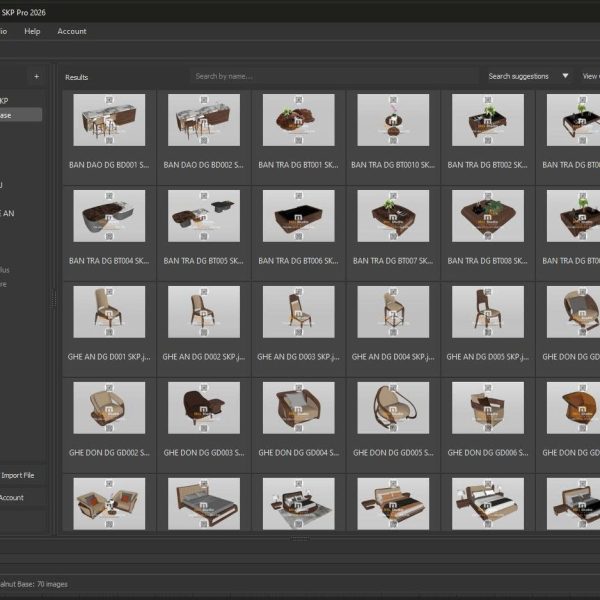
Walnut_Model_SKP_Pro_2026
Walnut_Model_SKP_Pro_2026 2,000,000 ₫ 9,500,000 ₫Price range: 2,000,000 ₫ through 9,500,000 ₫
Back to products
MiliStudio_AutoDim_v1.0.0
MiliStudio_AutoDim_v1.0.0 Original price was: 558,000 ₫.Current price is: 139,000 ₫.

MiliStudio_AutoPrint_v1.0.0

Application Information

📦 MiliStudio | AutoPrint – Smart Batch Printing and Plotting tool for AutoCAD

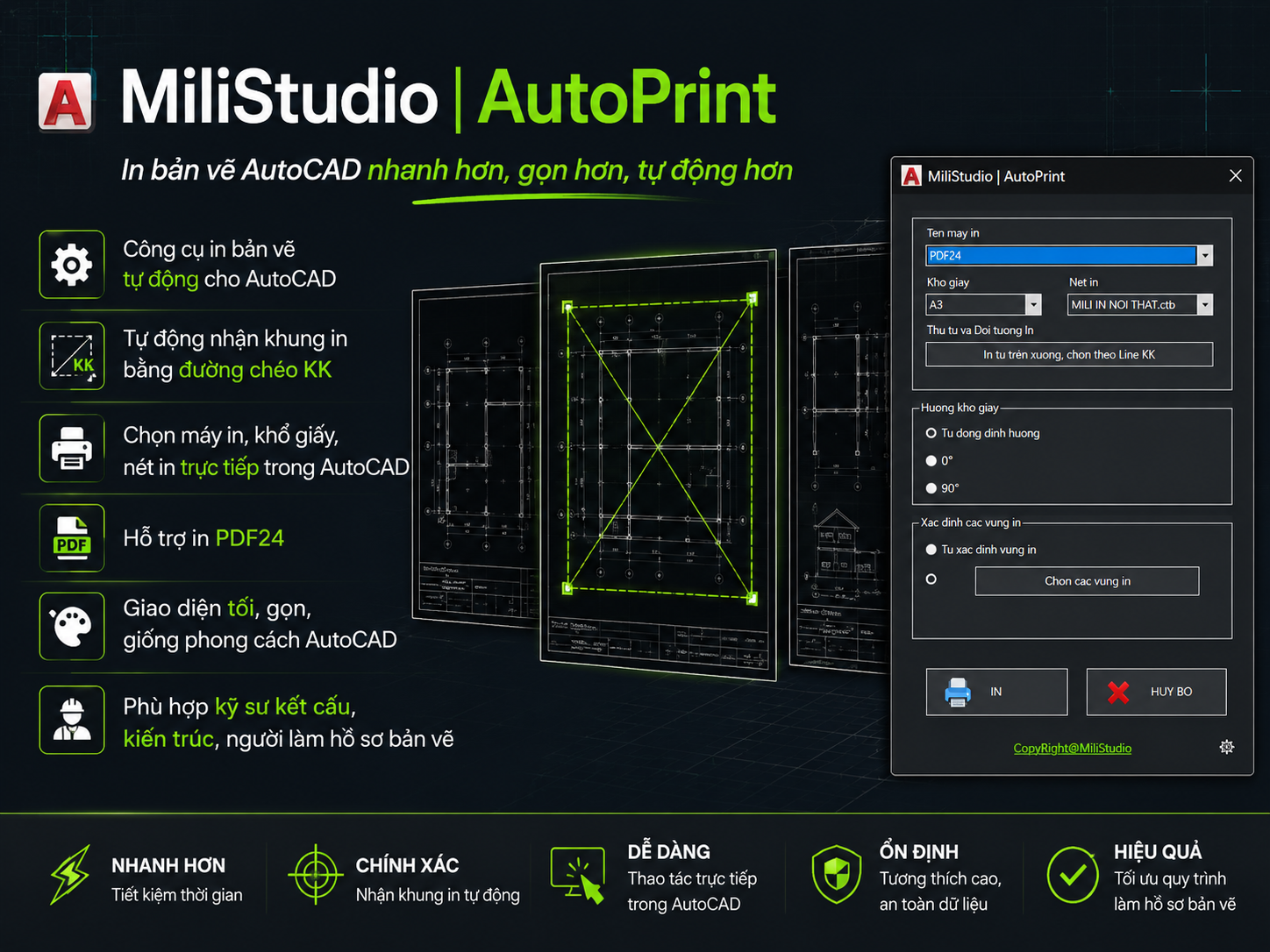
💡 MiliStudio | AutoPrint is an AutoCAD extension designed to automate batch printing of multiple drawing sheets. It eliminates the tedious task of manually selecting printing windows for each drawing sheet and configures printer properties, sheet sizes, and pen styles in one place.

By combining AutoCAD plotting automation with the virtual PDF24 printer, AutoPrint helps engineering teams and designers plot hundreds of DWG sheets and compile them into a single, ordered PDF in seconds.

🚀 Save hours of drafting work. Execute batch printing in one click.

✨ Key Features:

  • 🖨️ PP: Opens the main batch printing setup menu to select target printer, sheet size, and plot style.
  • 📐 KK: Rapidly draws a bounding diagonal line on the custom MiliAutoPrint layer to designate a sheet’s print area.
  • 🔍 Auto Detection: Scans your Model or Layout spaces to detect sheet boundaries instantly via blocks, title blocks, or boundary lines.
  • 🔄 Auto-Orientation: Automatically rotates paper sizes (0 or 90 degrees) to best fit the drawing orientation.
  • 📍 Ordered Plotting: Supports top-to-bottom and left-to-right sorting to compile drawings in the correct sequence.
  • 📂 Merged PDF Compilation: Connects with PDF24 Assistant to effortlessly merge multiple sheets into a single PDF document.
  • 🔐 Secure Licensing: Access verified via MiliStudio online account credentials to manage device licenses.

🧩 System Requirements:

  • Windows 10 / Windows 11 64-bit.
  • AutoCAD 2020 or newer.
  • Virtual printer PDF24 Creator installed (recommended for PDF output).
  • Active internet connection is required for initial device licensing.

Installation & Activation

✨ Application Installation Guide:

  1. 📥 Download the MiliStudio_AutoPrint_Setup_v1.0.0.exe installer from the product page.
  2. 🖥️ Run the installer. It will automatically detect all AutoCAD versions installed on your computer and register the auto-loader keys.
  3. 🧩 Open AutoCAD. The application will load automatically. No manual APPLOAD is required.
  4. 🔐 Run the print command (PP) for the first time; a login dialog will automatically appear.
  5. ✅ Sign in using your registered email and password associated with your purchase to activate the device license.

💡 Notes:

  • Please ensure the email address matches the email used on your order invoice.
  • The installer configures AutoCAD to load the application at startup. If you ever need to load it manually, you can use the AutoPrintNetLoader.lsp file generated inside your installation directory.
  • You can check your current subscription and license status at any time using the online status commands.
  • Internet connection is required during account authentication checks.

Application Usage

✨ Core Workflow:

  1. Open your DWG drawing in AutoCAD.
  2. If using custom bounds, run the KK command to draw diagonal borders over the drawings you want to print.
  3. Type PP in the command line to open the main printing dialog.
  4. Select PDF24 as the printer, choose the paper size (e.g. A3) and select the plot style (ctb).
  5. Specify your desired printing sequence under **Print order and target**.
  6. Click PRINT to start the batch plotting process.
  7. Once completed, the PDF24 Assistant window will appear. Click **Save as PDF** to merge all pages into a single file.

License & Usage Plans

Available License Plans:

  • 🔐 Activate online using the registered MiliStudio account used to purchase.
  • 💻 Single license binding with option to release and transfer devices.
  • ♾️ Full access to automatic block detection, boundary recognition, and batch plotting.
  • 🚀 Free technical updates matching future AutoCAD releases.

Licenses are activated and checked securely over the web. Ensure the email address you log in with matches the email used on your invoice.

Original price was: 558,000 ₫.Current price is: 279,000 ₫.

Guaranteed Safe Checkout

Features & Compatibility

Additional information

Model Walnut SKP

Model Walnut Base , Model Walnut Plus , Model Walnut Pre

Customer Reviews